
Windows Activation Guide
Thank you for purchasing Windows from SAIVera. Follow the steps below to activate your Windows license using our Get CID platform.
Step 1 — Open SLUI 4
Open the Windows Search bar, type slui 4, then press Enter.

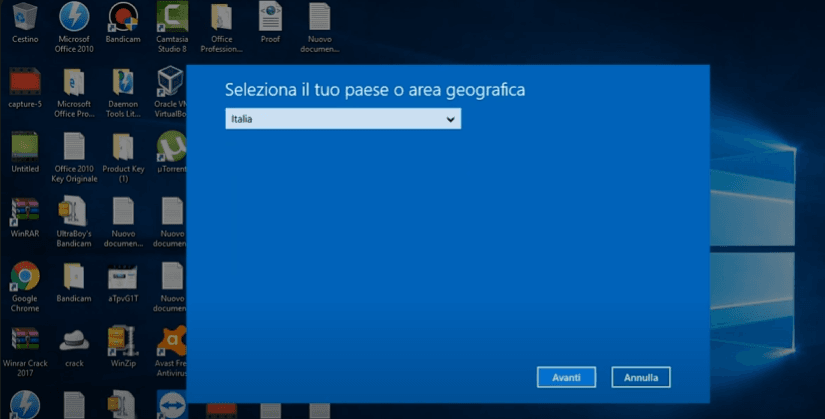
When prompted, select Italy as your country.
Step 3 — Enter the Installation ID
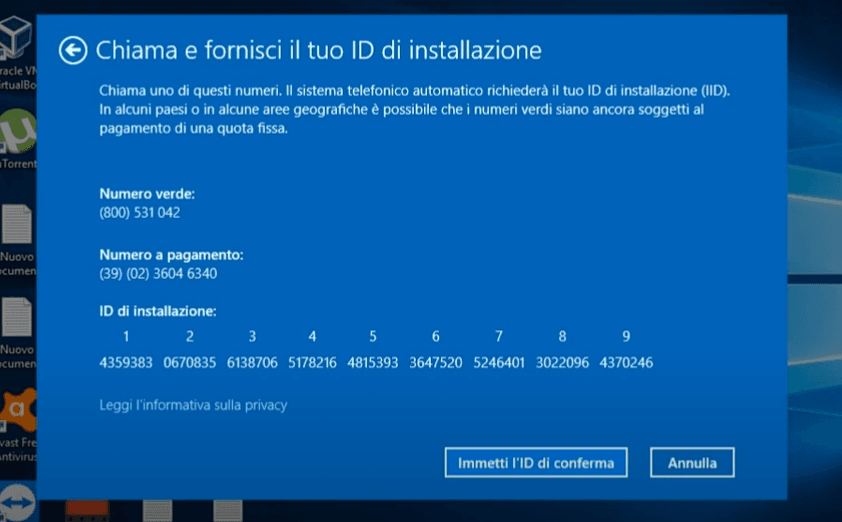
Copy the Installation ID displayed in the Windows activation window and paste it into the Get CID tool.
Step 4 — Receive Your Confirmation ID
Enter Your Product Key, then click Submit. Within a few seconds you will receive your Confirmation ID.
Step 5 — Complete Windows Activation
Return to the Windows activation window and enter the Confirmation ID to complete activation.
Tip: Keep the Windows activation window open while using the Get CID tool to make the process faster.
Need Help?
If you need assistance, our support team is ready to help. Contact us through Email.